How to Find the Right Lawyer
Finding the right lawyer for your situation is the most important step. eSolicitors gives you several ways to search and compare.
Option 1 — Browse the Lawyers Directory
Go to esolicitors.com/lawyers to browse all lawyers on the platform.
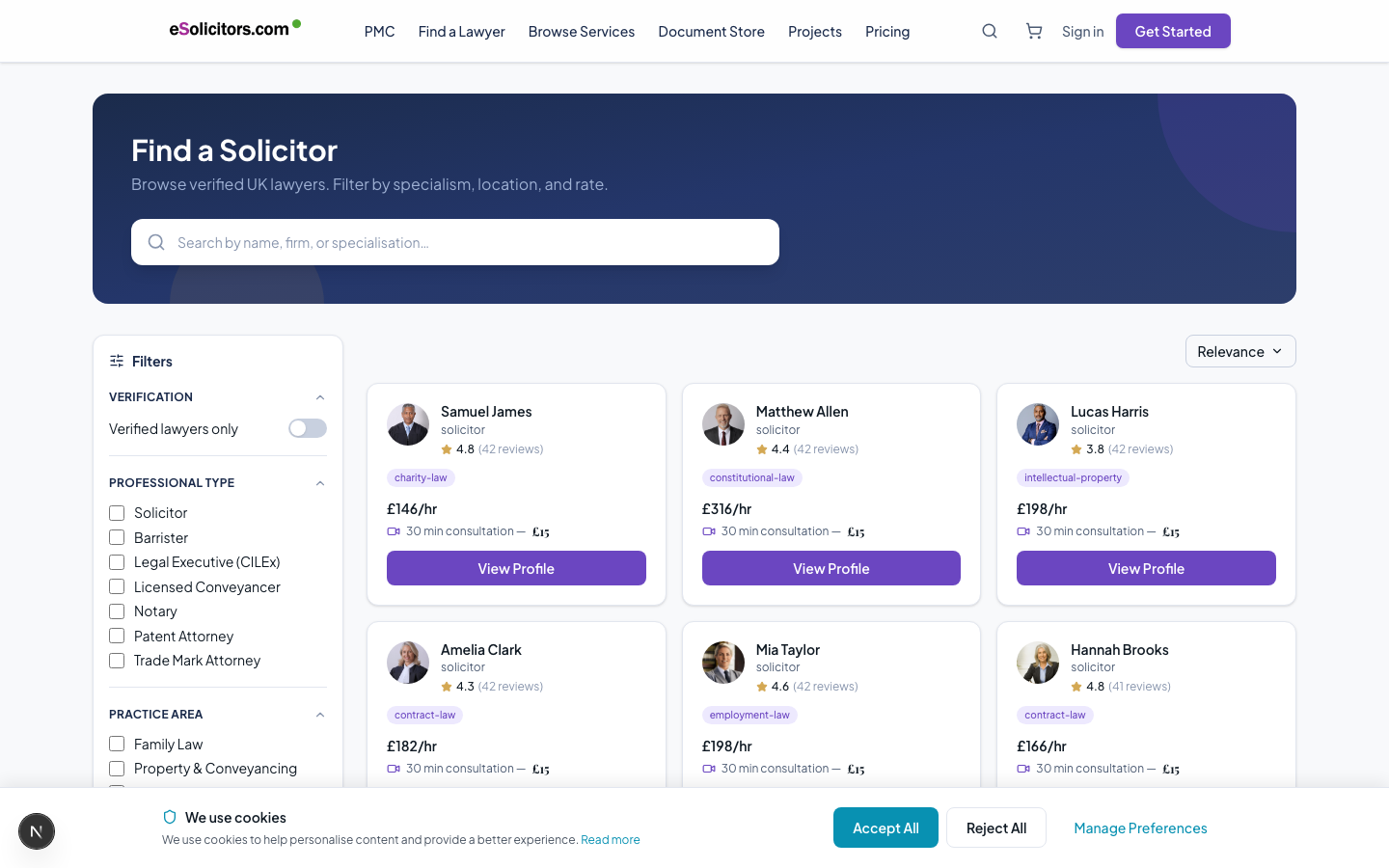
The eSolicitors lawyer directory — filter by practice area, jurisdiction, and more
You can filter by:
- Practice area (family law, employment, property, etc.)
- Jurisdiction (England and Wales, Scotland, United States, etc.)
- Verification status
- Hourly rate range
Each lawyer card shows their name, photo, practice areas, jurisdiction badges, verification level, and review score.
Option 2 — Use the AI Matching Wizard
The AI Matching Wizard at esolicitors.com/find-a-lawyer walks you through 4 questions:
- What area of law? (practice area)
- What specific type of matter? (sub-category)
- What are your preferences? (experience level, urgency, budget)
- Where are you based? (jurisdiction)
The system then scores every lawyer on the platform against your answers across 7 criteria and shows you the top matches. This is the fastest way to find someone well-suited to your specific situation.
Option 3 — Search by Name or Topic
Use the search bar at the top of any page. You can search by:
- Lawyer name
- Practice area ("employment solicitor")
- Specific topic ("divorce financial settlement")
Search results show matching lawyers, practice areas, and services.
Reading a Lawyer Profile
Click any lawyer card to see their full profile. Key things to check:
Verification badges — How thoroughly the lawyer has been verified:
- Gold badge: Enhanced verification (all 5 steps complete — regulatory registration, practicing certificate, photo ID, PII insurance, proof of address)
- Teal badge: Standard verification (3-4 steps complete)
- Blue badge: Basic verification (1-2 steps complete)
Jurisdiction badges — Which jurisdictions the lawyer is verified to advise in. A green tick means that jurisdiction has been verified against the regulatory body.
Reviews — Star rating and written reviews from previous clients. Reviews are verified — only clients who completed a matter can leave a review.
Service listings — Specific services the lawyer offers, with fixed prices or price ranges.
Hourly rate — The lawyer's standard hourly rate (used for hourly billing matters).
What to Look For
For personal matters (family, wills, property, personal injury):
- Relevant practice area and sub-category experience
- Location (England and Wales vs. Scotland vs. US) matching your jurisdiction
- Enhanced verification badge
- At least a few reviews
For business matters (contracts, employment, corporate):
- Specific sub-category match (e.g., "Shareholder Agreement" not just "Business")
- Higher tier verification
- Relevant service listings
For urgent matters:
- Check availability on their booking calendar
- Look for lawyers who respond quickly (average response time shown on profiles where available)
After You Find Someone
Once you have found a lawyer you want to work with:
- Click Book Consultation on their profile
- Choose a time slot and pay the £15 consultation fee
- The 30-minute AI Scoping Consultation runs via video call on the platform
There is no obligation to proceed after the consultation. See Booking a Consultation for what happens next.